

We Vibe Coded a Full YOLOv8 App to an NVIDIA Jetson with Claude Code - No Human Code Written
We gave Claude Code one instruction and the wendy CLI documentation. It built a complete real-time object detection application with a React frontend, FastAPI backend, and deployed it to an NVIDIA Jetson - without a developer writing a single line of code.
Join our Discord community to connect with other developers building with WendyOS!
We are witnessing the absolute democratization of physical AI.
For decades, building applications for drones, smart cameras, and robots was the domain of specialized engineers with deep knowledge of embedded systems, cross-compilation toolchains, and hardware architectures. It was hard. It was slow. It was exclusive.
Today, that changes. You can now build applications for physical hardware just by asking in English.
We tried it. And it worked.
The Experiment
We gave Claude Code a simple prompt: build a real-time object detection application that runs on an NVIDIA Jetson Orin Nano with a Logitech USB webcam. The app should use YOLOv8, stream video with detection overlays, and have a nice frontend.
The catch? We didn't write a single line of code ourselves.
The only thing we did was point Claude Code to the Wendy CLI documentation using the --experimental-dump-help flag. With that context, Claude Code understood exactly how to build, configure, and deploy to WendyOS.
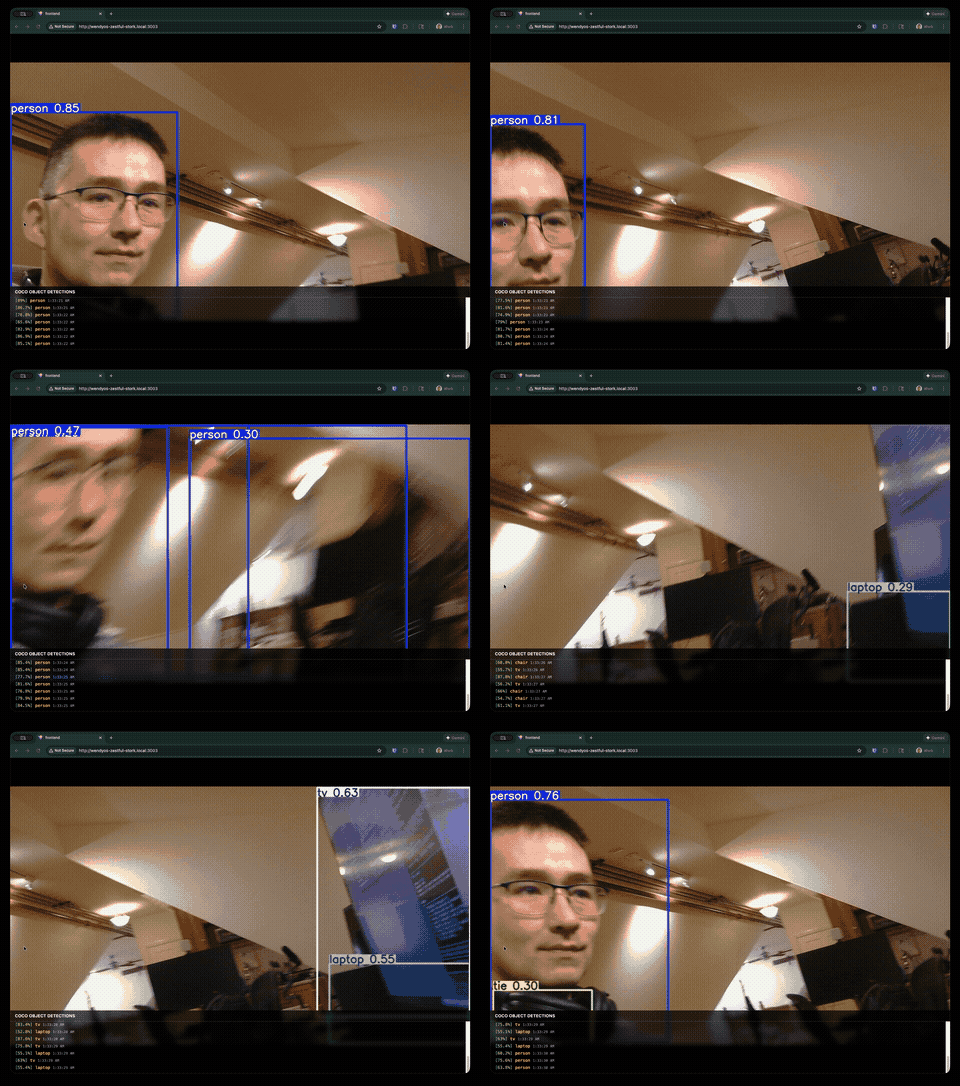
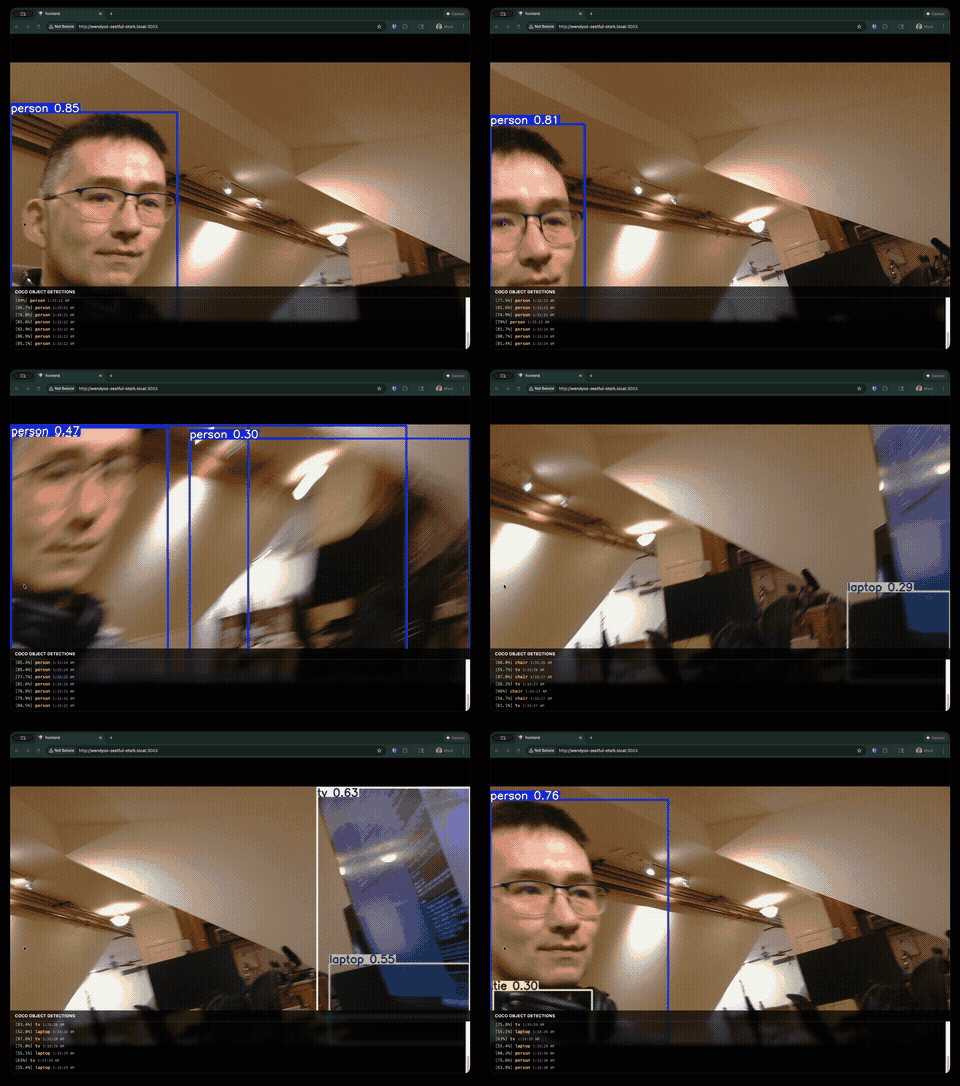
What Claude Code Built
In one shot, Claude Code generated:
A FastAPI Backend (server/app.py)
- Webcam capture using OpenCV
- YOLOv8 inference on every frame
- MJPEG streaming with bounding box overlays
- Detection logging with confidence scores and timestamps
- Server-Sent Events for real-time updates
A React + Tailwind Frontend
- Full-screen video display
- Semi-transparent detection log overlay
- Auto-scrolling detection feed
- Clean, responsive design
A Multi-Stage Dockerfile
- Node.js stage for building the React frontend
- Ultralytics Jetson-optimized base image with CUDA support
- Pre-downloaded YOLOv8 model for offline operation
A wendy.json Configuration
- GPU entitlements for CUDA acceleration
- Video entitlements for webcam access
- Network host mode for direct port binding
- Persistent storage for model caching
The complete application - frontend, backend, Docker configuration, and device entitlements - was generated without human intervention.
The Future: Real-Time Logic without Compilation
This experiment hints at something even more profound than just "easier coding." We are approaching a future where the loop of Write Code -> Compile -> Deploy -> Restart will become obsolete.
Imagine standing in a field with a drone. You shouldn't have to pull out a laptop, write a Python script, compile a container, and push an update just to change its mission.
You should be able to say, "Look for red jackets instead of blue cars," or "If you see a fire, fly 20 feet lower and get a thermal reading."
With the architecture we're building at Wendy Labs, it is only a matter of time before the "application" on the robot is just a container for a reasoning agent. The "logic" won't be hardcoded binaries; it will be fluid instructions processed in real-time. The robot will update its behavior instantly, without ever needing a deployment cycle.
WendyOS is the foundation for this reality. By abstracting the hardware into a clean, standard interface, we are preparing for the day when language is the operating system.
Why This Matters Today
Even right now, before we reach that sci-fi future, the impact is massive.
Traditional approach:
- Learn the Jetson SDK and JetPack
- Figure out CUDA, OpenCV, and PyTorch for ARM
- Write the backend code
- Write the frontend code
- Write the Dockerfile
- Debug cross-compilation issues
- SSH into the device and configure it
- Deploy and pray
With WendyOS + Claude Code:
- Describe what you want in English.
- Run
wendy run.
The friction isn't just reduced—it's obliterated.
When you give AI coding agents simple, well-documented tools like the Wendy CLI, they can go from idea to deployed hardware in minutes. No human code required.
The Deployment
After Claude Code finished generating the code, deploying was a single command:
wendy runThe Wendy CLI:
- Built the Docker image (cross-compiling for ARM64)
- Pushed it to the Jetson's local registry
- Started the container with GPU and webcam access
- Streamed logs back to the terminal
Within minutes, we had a working object detection app running on the Jetson, accessible from any browser on the network.
Try It Yourself
Want to run this exact application?
- Clone the sample:
git clone https://github.com/wendylabsinc/samples.git - Connect a USB webcam to your Jetson
- Run:
cd samples/python/yolov8 && wendy run
Or follow our step-by-step tutorial to understand every component.
Want to vibe code your own app? Check out our LLM Integration guide to set up Claude Code, Cursor, or any AI assistant with full Wendy CLI knowledge.
The future of edge AI development isn't about writing more code. It's about describing what you want and letting the tools figure out the rest.